Remote work has transformed how we approach our careers and our daily routines. But the success of working from home depends heavily on the quality of your workspace. A well-organised home office doesn’t just help you stay productive; it also supports your mental health, physical comfort, and professional image.
Whether you’re setting up a new space or refining one you already have, the following strategies will help you create an environment where you can truly excel.
Create a Space That Signals “Work Mode”
The first step in building a productive home office is defining a dedicated workspace. Even if you don’t have a separate room, carving out a specific corner of your home for work helps create a psychological boundary between your professional and personal life.
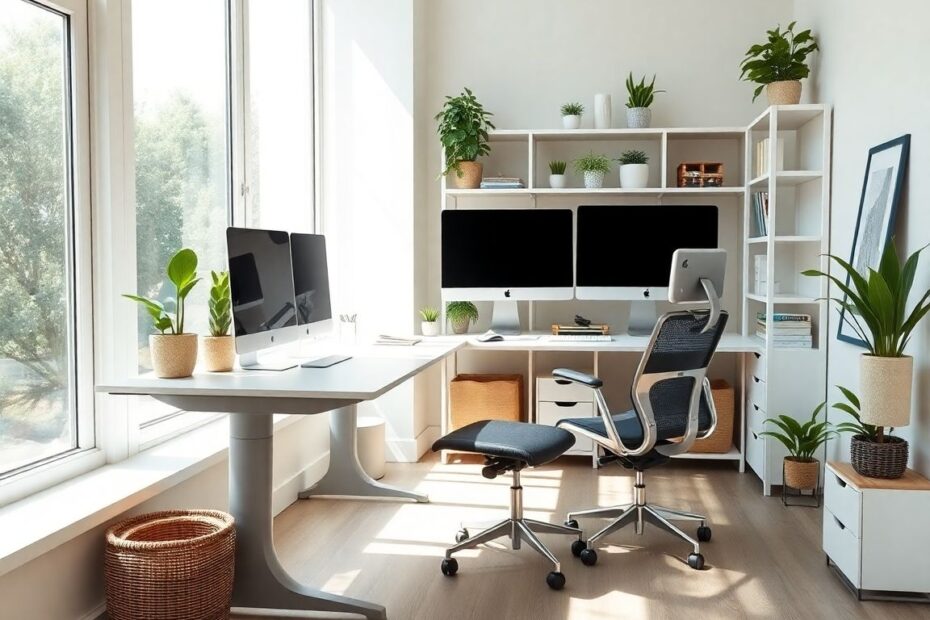
Choose an area with minimal foot traffic to reduce interruptions. Natural light is ideal for keeping energy levels high and reducing eye strain, so try to position your desk near a window while avoiding direct glare on your monitor. If natural light isn’t available, invest in a good desk lamp or adjustable LED lighting to mimic daylight and keep your eyes comfortable during long hours.
Ergonomics are equally important. An adjustable chair with proper lumbar support, a desk at the right height, and a monitor positioned at eye level all work together to reduce fatigue and prevent long-term health issues. Think of your office chair as an investment: a supportive seat can help you maintain focus for hours without discomfort.
Set Clear Routines and Boundaries
Without the natural structure of a traditional office, it’s easy for work to spill into evenings or weekends. Establishing clear working hours gives your day rhythm and helps you protect personal time. Start by setting a consistent start and end time, and plan regular breaks to stretch, hydrate, and give your eyes a rest. Short breaks throughout the day refresh your concentration far more effectively than one long lunch.
Boundaries also apply to the people you share your home with. Communicate your schedule to family members or housemates so they know when you’re unavailable. Simple cues, like closing your office door or wearing noise-cancelling headphones, can serve as visual reminders that you’re in work mode.
Reduce Distractions for Deeper Focus
Distractions are one of the biggest challenges of working from home. While you can’t eliminate every interruption, you can reduce their impact. Start by decluttering your workspace. A tidy desk encourages a tidy mind, allowing you to focus on tasks instead of visual noise. Digital clutter matters too. Organise your files, close unnecessary browser tabs, and use productivity apps or website blockers to limit social media during work hours.
Sound management is another key factor. If you live in a noisy environment, consider noise-cancelling headphones or a white-noise machine to mask background sounds. For some, a playlist of instrumental music can create a steady rhythm that supports concentration.
Equip Yourself With Reliable Technology
A home office is only as effective as the tools you rely on. Investing in quality technology saves time and prevents frustration. A high-resolution monitor, comfortable keyboard, and responsive mouse reduce physical strain and make daily tasks more enjoyable. Stable, high-speed internet is essential for video calls and large file transfers, so check your connection speed and upgrade if needed.
Printing is often overlooked until something goes wrong. If you rely on hard copies for contracts, creative work, or study materials, choose a dependable printer and keep essential supplies stocked. For example, users of the HP Colour LaserJet Pro M254dw can achieve crisp, vibrant prints by using the recommended HP m254dw toner. High-quality toner not only ensures professional results but also extends the life of the printer by reducing clogs and streaks.
Perfect the Atmosphere

Comfortable surroundings keep you motivated and alert. Start with lighting. Layer your light sources with a mix of overhead ambient light and targeted task lighting to reduce glare and shadows. Temperature control is equally important. An environment that’s too warm can make you drowsy, while a cold room can be distracting. If central heating or cooling is inconsistent, a small fan or space heater can help you maintain a stable climate.
Adding personal touches can also boost morale. Plants improve air quality and provide a natural visual break from screens. Artwork, framed photos, or decorative objects give the space character and make it feel inviting. Just remember to keep décor balanced; too many items can create clutter and undermine your efforts to stay focused.
Organise Your Workflow
Even the best physical setup won’t help if your work habits are inefficient. Start each day with a short planning session. Identify your top priorities and break them into manageable tasks. Time-management techniques such as the Pomodoro method (working in 25-minute sprints followed by short breaks) can help you stay on track while preventing burnout. Digital tools like task managers or shared calendars keep projects organised and make collaboration with colleagues easier.
Keep frequently used items within arm’s reach to reduce unnecessary movement and interruptions. Storage solutions such as filing cabinets, labelled drawers, or desktop organisers can keep documents and supplies tidy. At the end of each day, take five minutes to reset your workspace so you can start the next morning with a clean slate.
Maintain Your Setup Over Time
A home office isn’t a “set it and forget it” project. Equipment wears out, needs to be changed, and small issues can grow into major frustrations if left unchecked. Schedule regular maintenance for your technology: update software, clean screens and keyboards, and check cables for wear. Replace consumables like toner, printer paper, or chair cushions before they run out or deteriorate.
It’s also worth reassessing your layout every few months. As your workload or lifestyle evolves, you may discover new ways to optimise the space. A small shift, such as repositioning your monitor or upgrading your chair, can make a big difference in comfort and productivity.
Your home office should be more than a place to work. It should be an environment that empowers you to perform at your best. By combining thoughtful design, reliable technology, and healthy routines, you can create a workspace that supports your goals today and evolves with you for years to come.
