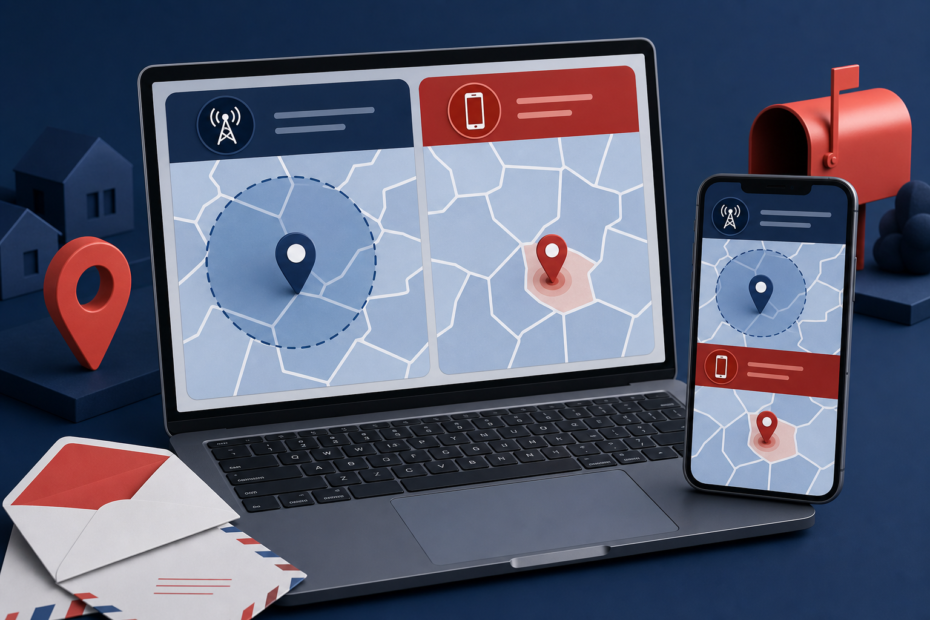
A shopping site picks a store in the next county. A weather page keeps showing your old town. A search for “near me” starts 50 miles away. Then a ZIP lookup displays a code you have never used. These errors are common because websites do not all mean the same thing when they ask, “What is my ZIP code?”
One service may estimate your location from your public IP address. Another may ask the browser for device location. A checkout form may use a ZIP saved in your account, while a payment form wants the billing ZIP held by your card issuer. None of those values is automatically your official mailing ZIP.
Start with a quick check at What’s My ZIP. It shows an immediate network-based estimate and offers an optional device-location refinement. Treat the first result as a clue to your current area, not proof of your street address. Then use the comparisons below to determine why a result is wrong and which ZIP the situation actually requires.
“My ZIP code” can mean four different things
| What a site may mean | Where the value comes from | Best use | Do not use it as |
|---|---|---|---|
| Approximate current ZIP | Public IP address and network-location database | Local news, rough regional content, first diagnostic | Proof of residence or exact delivery ZIP |
| Device-location ZIP | Browser coordinates from GPS, Wi-Fi, cellular, or operating-system location | Nearby places and current-location tools | A guaranteed mailing ZIP near a boundary |
| Mailing ZIP | Full standardized street address matched by USPS | Letters, packages, address records | Your physical city boundary |
| Billing ZIP | Postal code stored by the card issuer | Payment verification | Your current travel location |
The correct answer depends on the job. If you are traveling and want the closest pharmacy, device location is useful. If you are mailing a tax form, the ZIP attached to the standardized address matters. If a card payment fails, entering the ZIP where your phone is currently located will not help unless that is also the billing address on the account.
How websites determine your current ZIP
1. IP-based location: fast but approximate
Every website receives the public IP address used by your connection. A location database can associate that address with a country, region, city, and sometimes a nearby ZIP. This requires no browser location prompt, which is why a page can show a local result as soon as it opens.
The limitation is that an IP address identifies a network connection, not a front door. Your provider may route traffic through equipment in another city. A mobile carrier may aggregate many customers behind a distant gateway. A corporate network may send branch-office traffic through headquarters. The database may also contain an older assignment for a recently moved or reassigned address block.
IP location is good enough for a regional default. It is not designed to decide which side of a neighborhood ZIP boundary you occupy.
2. Browser geolocation: permission-based coordinates
A site can call the browser's Geolocation API to request the device's current coordinates. MDN documents two important safeguards: geolocation is available in secure HTTPS contexts, and the user must grant permission. The browser then uses the best sources available to the device, which can include GPS, nearby Wi-Fi networks, cellular signals, or operating-system location services.
A phone outdoors can often provide a tighter result than a desktop computer without GPS. A browser may also return a quick, lower-accuracy location before a more precise fix is available. The coordinates include an accuracy radius; they are not a promise that the device is at one exact point.
To turn coordinates into a ZIP, the website must map that point to postal data. Near a boundary, a small coordinate error can select the neighboring ZIP. A service that matches the nearest ZIP centroid may also differ from a service using detailed delivery-area data.
3. Stored site data: the ZIP may not be detected at all
If one website keeps showing an old ZIP while other sites are correct, the problem may have nothing to do with IP or GPS. The site may be loading a saved store, account address, cookie, local-storage preference, browser autofill value, or previous search.
This explains a recurring user report: someone moves, updates the address, buys a new computer, and still sees an obsolete ZIP on one service. Before changing system-wide location settings, test the same service signed out or in a private window. If the incorrect ZIP appears only while signed in, inspect the account's address, preferred store, delivery location, and payment profile.
Why your ZIP code is wrong online
Your ISP exits in another city
If every IP-based website places you in the same wrong city but device-location apps are accurate, your internet provider's routing or IP-location record is the likely explanation. The error may be a few miles or several states. Restarting the browser does not change where the provider announces or routes the address.
A VPN, proxy, or privacy relay is active
A VPN intentionally sends traffic through an exit server. IP-based services see that server's approximate location rather than yours. Corporate security gateways, browser privacy relays, and some antivirus “secure browsing” features can have the same effect.
Turn the VPN off only if it is safe and permitted, refresh the lookup, and compare the result. A changed ZIP confirms the network path caused the difference. It does not mean the VPN is broken.
The browser or operating system lacks permission
A site cannot obtain device coordinates when location permission is denied. The page may then fall back to an IP estimate or show no location. Location access can be blocked at two layers: the browser's per-site permission and the operating system's permission for that browser.
Google's location-accuracy guidance recommends checking browser permission, reloading, verifying connectivity, and restarting when the device location cannot be determined. If the blue location circle is large, the system is explicitly telling you the estimate is uncertain.
The device has weak location signals
Indoor desktops, parking structures, dense buildings, battery-saving modes, and disabled Wi-Fi can reduce location quality. Even when you are connected by Ethernet, leaving Wi-Fi enabled may help some operating systems recognize nearby networks for positioning. Do not connect to an untrusted network merely to improve location; the device can often observe Wi-Fi signals without joining them.
You are close to a ZIP boundary
Postal ZIP Codes were created for mail routing, not as perfect neighborhood or city polygons. USPS says ZIP Codes do not necessarily follow city or municipal boundaries. Two apartments on nearby streets may legitimately use different ZIPs, and the preferred city name in a standardized address may not match the municipality a resident normally names.
The address is new or not standardized
New construction, accessory units, renamed streets, and recently assigned delivery points can take time to appear across commercial databases. USPS advises checking the address in its official ZIP lookup and contacting the local Post Office when a valid new mailing address still produces no result. A map pin and a deliverable postal address are related, but they are maintained for different purposes.
A controlled workflow to find the correct ZIP
Step 1: Record the approximate result
Open one current-ZIP tool and note the five-digit result, city label, network type, and whether it used IP or device location. Do not refresh repeatedly until the number looks familiar; preserve the first result so you can identify which layer produced it.
Step 2: Request device location
Use the site's location button and approve access only if you are comfortable sharing coordinates with that site. Compare the refined result with the IP estimate:
- If device location is correct and IP location is wrong, the network estimate is the issue.
- If both are wrong in the same way, check system location services and signal quality.
- If the device result alternates between adjacent ZIPs, inspect the reported accuracy and your proximity to a boundary.
- If no permission prompt appears, the browser may have remembered a previous denial.
Step 3: Compare another device on the same network
Test a phone and computer while both use the same Wi-Fi. If the phone is correct only after allowing precise location, while the computer remains wrong, the network-based estimate is probably the same on both devices and the phone's sensors are supplying the improvement.
Then turn Wi-Fi off on the phone and test cellular service. A different result is expected because the public IP and positioning sources changed. This comparison is more informative than clearing every browser setting at once.
Step 4: Check VPN and network routing
Note whether a VPN, corporate tunnel, proxy, or privacy relay is active. If policy permits, compare one lookup with it enabled and one disabled. If the ZIP follows the VPN exit, the tool is correctly describing the visible network location. For local results while preserving the VPN, manually enter a city or ZIP instead of weakening the privacy setup.
Step 5: Inspect site-specific stored values
When only one service is wrong, check in this order:
- account home, delivery, and billing addresses
- preferred store or service area
- browser autofill addresses
- the same page while signed out
- a private window with no existing site storage
Clear site data only after identifying the affected service and preserving anything important. A global cookie purge can sign you out everywhere without correcting a ZIP stored in the site's account database.
Step 6: Verify a mailing address with USPS
For mail or delivery, stop using current-location estimates and enter the full street address, unit, city, and state in the official USPS ZIP Code Lookup. Use the standardized address it returns. USPS notes that the standardized form may look different from what you entered and that a ZIP result does not prove a person or company occupies that address.
If USPS does not recognize valid new construction, verify the street and unit information and contact the local Post Office. Do not substitute the nearest ZIP from a map and assume it will create a deliverable address.
Which ZIP should you enter in a form?
| Form or task | ZIP to use | How to verify |
|---|---|---|
| “Near me” search | Your current device-location ZIP or a manually entered search ZIP | Map position and nearby landmarks |
| Shipping or mailing address | The ZIP assigned to the complete delivery address | USPS address lookup |
| Credit/debit card billing | The ZIP on file with the card issuer | Bank statement or issuer account |
| Home address profile | Your official mailing ZIP | USPS and current account records |
| Service eligibility | The service address ZIP, then the full address | Provider's address qualification tool |
| Travel or hotel search | The destination ZIP, not necessarily your device's detected ZIP | Destination address |
Payment failures deserve special care. A merchant asking for “billing ZIP” is comparing your entry with the address record supplied by the issuer. It may remain your home ZIP while you travel. Repeated guesses can trigger fraud controls, so verify the account record instead.
ZIP Code versus ZIP+4
A standard US ZIP Code contains five digits and identifies a mail-processing and delivery area. ZIP+4 adds four digits to narrow delivery further, potentially to a block face, building, floor, firm, or other segment. Most ordinary forms ask for five digits; some address-validation and bulk-mail systems use the full nine-digit value.
A current-location tool normally returns a five-digit ZIP because latitude and longitude alone do not identify your apartment, suite, organization, or delivery segment. Use the full street address in the USPS lookup when ZIP+4 is required.
Privacy and accuracy should be visible choices
An IP-based lookup can provide a rough area without requesting device coordinates because the site already receives the IP needed for the connection. Device geolocation is more sensitive and requires permission. Read the site's privacy information before granting it, especially on a shared device.
No location result should be treated as proof of identity, residency, or presence at a specific address. An IP can be shared, routed, or tunneled. A device can be traveling. Coordinates can have a wide accuracy radius. For sensitive decisions, verify the full address through the appropriate authoritative system rather than trusting a large ZIP number on a page.
A result you can explain is better than a lucky match
When a ZIP code is wrong online, first identify the source: network estimate, device coordinates, saved site data, mailing address, or billing record. Compare IP and device-location results without changing several settings at once. Check VPN routing and permissions, then isolate one-site problems with a signed-out or private-window test.
For a current-area lookup, an approximate result may be entirely adequate. For shipping, use the ZIP attached to the complete standardized address. For billing, use the issuer's record. The goal is not to make every service display one universal ZIP; it is to provide the right ZIP for the task and understand why the values can legitimately differ.
