Have you ever missed an important meeting because you miscalculated the time difference between coasts? Or perhaps you've stayed up way too late waiting for a call that was supposed to happen three hours earlier than you thought?
You're not alone.
Understanding the difference between EST and PST is crucial in our increasingly connected world. Whether you're coordinating business meetings, planning virtual hangouts with friends across the country, or scheduling important phone calls, knowing how to navigate these time zones can save you from embarrassing mistakes and missed opportunities.
Let me walk you through everything you need to know about these two major American time zones.
What Exactly Are EST and PST?
Let's start with the basics.
EST stands for Eastern Standard Time, and it's the time zone used by major cities like New York, Boston, Philadelphia, and Atlanta. When you hear about “East Coast time,” this is what people are referring to.
PST stands for Pacific Standard Time, which covers the West Coast including cities like Los Angeles, San Francisco, Seattle, and San Diego. It's what people mean when they talk about “West Coast time”.
Here's the simple truth: PST is 3 hours behind EST. This means when it's noon in New York, it's only 9 AM in Los Angeles.
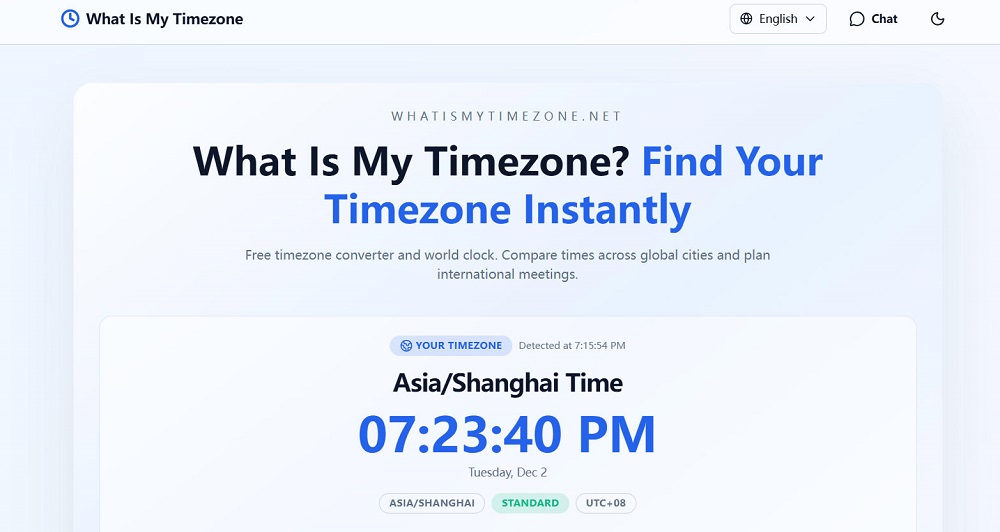
If you want to check what time it is in your specific location right now, you can visit What Is My Time Zone for an instant answer.
The Time Difference Breakdown
The three-hour gap between these zones creates some interesting dynamics in daily life.
When someone on the East Coast is starting their workday at 9 AM EST, their West Coast colleagues are just waking up at 6 AM PST. When New Yorkers are heading home at 5 PM EST, Los Angeles workers still have a full two hours left before their 5 PM PST finish time.
This time difference affects everything from live television broadcasts (why late-night shows air at different times on each coast) to business operations and customer service hours.
Think about it this way: If you schedule a meeting for 2 PM EST, you're asking your Pacific Time colleagues to join at 11 AM PST. Not too bad. But if you schedule something for 8 AM EST, you're requesting a 5 AM PST wake-up call. Ouch.
The Daylight Saving Time Complication
Now here's where things get a bit more interesting.
EST and PST aren't the only abbreviations you need to know. During most of the year, these time zones actually shift to EDT (Eastern Daylight Time) and PDT (Pacific Daylight Time).
When daylight saving time kicks in during mid-March, clocks “spring forward” one hour. EST becomes EDT, and PST becomes PDT. Then in early November, when daylight saving time ends, clocks “fall back,” and we return to standard time.
The good news? The three-hour difference remains constant whether we're talking about standard time or daylight time.
Many people use EST and PST year-round in casual conversation, even when technically they should say EDT or PDT during the summer months. While this isn't technically correct, most people understand what you mean from context.
For precision in professional settings, though, it's worth knowing the difference. During daylight saving time (roughly March through November), use EDT and PDT. During standard time (roughly November through March), use EST and PST.
Quick Conversion Guide: EST to PST
Converting from Eastern to Pacific time is straightforward once you remember the three-hour rule.
Here's a quick reference chart:
Morning Hours:
| EST (Eastern) | PST (Pacific) |
|---|---|
| 6:00 AM | 3:00 AM |
| 7:00 AM | 4:00 AM |
| 8:00 AM | 5:00 AM |
| 9:00 AM | 6:00 AM |
| 10:00 AM | 7:00 AM |
| 11:00 AM | 8:00 AM |
| 12:00 PM | 9:00 AM |
| EST (Eastern) | PST (Pacific) |
|---|---|
| 1:00 PM | 10:00 AM |
| 2:00 PM | 11:00 AM |
| 3:00 PM | 12:00 PM |
| 4:00 PM | 1:00 PM |
| 5:00 PM | 2:00 PM |
| 6:00 PM | 3:00 PM |
Evening Hours:
| EST (Eastern) | PST (Pacific) |
|---|---|
| 7:00 PM | 4:00 PM |
| 8:00 PM | 5:00 PM |
| 9:00 PM | 6:00 PM |
| 10:00 PM | 7:00 PM |
| 11:00 PM | 8:00 PM |
| 12:00 AM | 9:00 PM |
Simply subtract three hours from EST to get PST. Easy, right?
Converting PST to EST
Going the other direction is just as simple.
When converting from Pacific to Eastern time, you add three hours to PST to get EST .
If it's 10 AM PST in San Francisco, it's 1 PM EST in New York. If someone in Seattle says they'll call you at 3 PM their time (PST), expect that call at 6 PM EST.
This is particularly important for West Coast folks scheduling meetings with East Coast colleagues. That 4 PM PST meeting you're proposing? Your Eastern colleagues will be joining at 7 PM EST, possibly after their normal work hours.
Understanding this helps you be more considerate when coordinating across time zones.
Best Times for Cross-Country Meetings
One of the biggest challenges of the EST-PST divide is finding meeting times that work for everyone.
Based on typical work hours (9 AM to 5 PM), the sweet spot for scheduling meetings between these time zones is between 12 PM and 3 PM EST, which translates to 9 AM to 12 PM PST .
This window ensures that:
- East Coast participants aren't staying late
- West Coast participants aren't starting unreasonably early
- Everyone is alert and engaged (not half-asleep or rushing out the door)
If you need to schedule outside this window, be mindful of whose schedule you're impacting more heavily. Rotate meeting times when possible so the burden doesn't always fall on the same team.
Many successful remote companies adopt “no meeting blocks” during the early morning EST and late afternoon PST hours to protect focused work time on both coasts.
Tools and Resources for Time Zone Conversion
In today's digital world, you don't need to do mental math every time you schedule something across time zones.
Several excellent tools can help you manage time zone conversions effortlessly :
Online Converters:
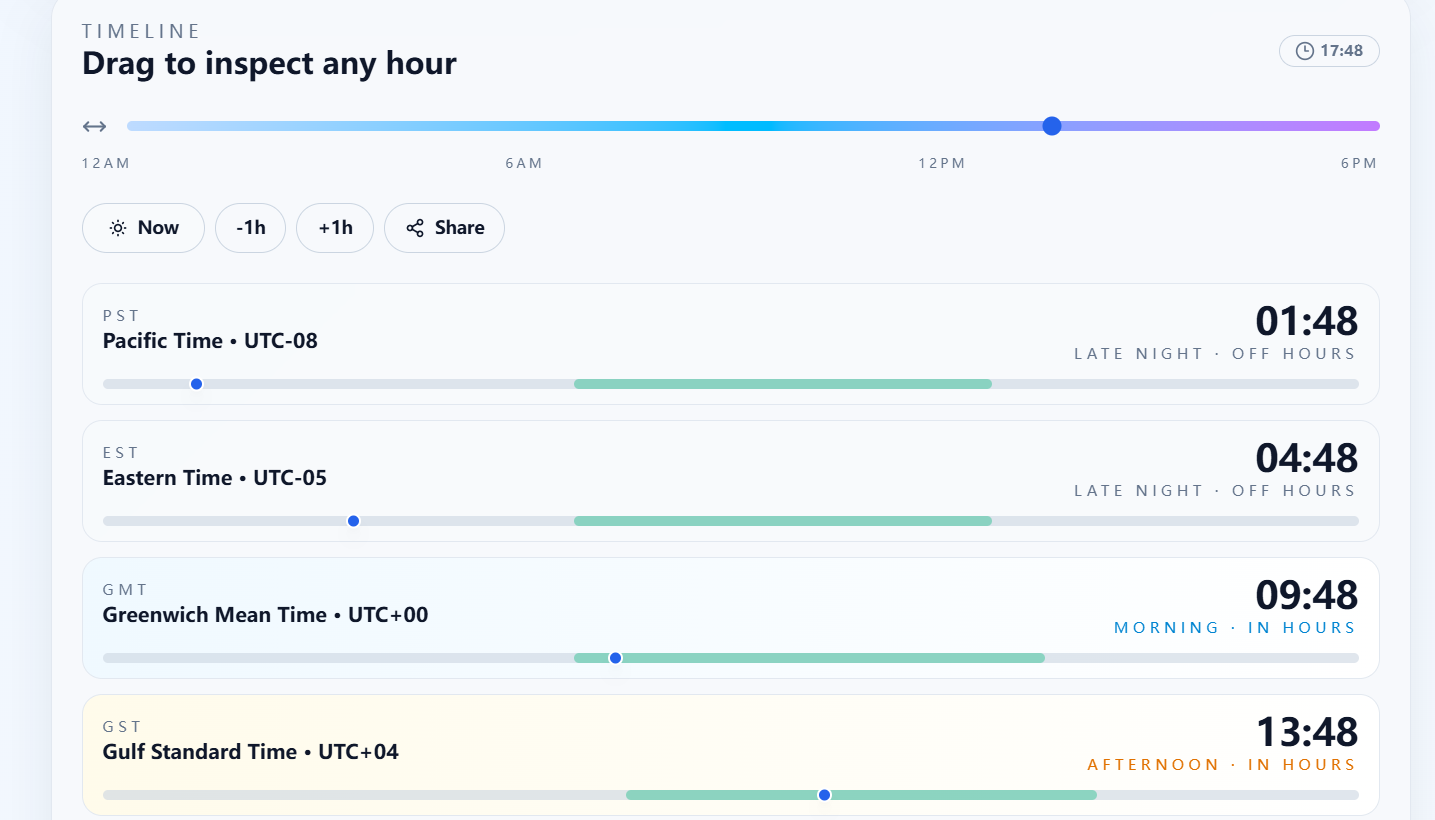
Time zone converter websites let you compare multiple zones simultaneously. You simply input a time in one zone, and it shows you what time that is everywhere else. The visual interface makes it easy to spot scheduling conflicts at a glance .
For a reliable and user-friendly option, What Is My Time Zone offers instant time zone information and conversion tools.
World Time Buddy:
This popular tool displays multiple time zones side-by-side with a slider interface . It's particularly useful for finding overlapping work hours.
Timeanddate.com World Clock:
This comprehensive resource offers time zone converters, meeting planners, and detailed information about daylight saving time changes worldwide .
Calendar Integration:
Both Google Calendar and Outlook automatically adjust meeting times based on participants' time zones . When you send a calendar invite, recipients see the meeting time in their local time zone automatically.
Browser Extensions:
Several Chrome extensions can display multiple time zones in your browser, making quick conversions seamless during your workday .
The key is finding a tool that fits naturally into your workflow. The best time zone converter is the one you'll actually use consistently.
Common Mistakes to Avoid
Even with the best tools, people still make time zone errors. Let me help you avoid the most common pitfalls.
Forgetting Daylight Saving Time:
Not everyone observes daylight saving time. Arizona (except the Navajo Nation) stays on standard time year-round. If you're coordinating with someone in Arizona, you'll need to adjust your calculations twice a year .
Assuming Everyone Uses 12-Hour Format:
Some people use 24-hour time (military time), which eliminates AM/PM confusion. When scheduling internationally or in technical fields, clarify which format you're using.
Not Specifying the Time Zone:
Never assume people know which time zone you mean. Always include “EST” or “PST” when sharing times. Better yet, use “ET” (Eastern Time) or “PT” (Pacific Time) to cover both standard and daylight time .
Scheduling at Zone Boundaries:
Be extra careful when scheduling near midnight or very early morning. A 1 AM EST meeting translates to 10 PM PST the previous day . Double-check the date as well as the time.
Relying on Memory:
Don't trust yourself to remember the conversion in the moment. Use a converter tool every single time, especially for important meetings. It takes five seconds and prevents embarrassing errors.
Real-World Applications and Scenarios
Let's look at how this time zone knowledge applies in everyday situations.
Business Meetings:
Companies with offices on both coasts need to be strategic about scheduling. Many adopt “core hours” when all offices overlap, typically 12-3 PM EST / 9 AM-12 PM PST . All-hands meetings and crucial discussions happen during this window.
Customer Service:
If you're running a business with customers across the country, your hours of operation need to account for both coasts. “9 AM – 5 PM EST” means West Coast customers can only reach you until 2 PM their time. Extending to 8 PM EST (5 PM PST) provides full-day coverage for both coasts.
Live Events and Webinars:
When hosting virtual events, choose times carefully . A 7 PM EST webinar is 4 PM PST—right when West Coast participants might be wrapping up work. A 6 PM EST / 3 PM PST slot might work better, though it's still not perfect for either coast.
Media and Entertainment:
Ever wonder why award shows and sporting events list multiple air times? They're accounting for time zones. A show that airs “live at 8 PM EST” will be 5 PM PST. Networks sometimes air separate broadcasts for different time zones.
Travel Planning:
When booking flights, pay close attention to time zones. A flight departing Los Angeles at 8 AM PST that arrives in New York at 4 PM EST isn't actually an eight-hour flight—it's only five hours. The three-hour time change accounts for the difference.
Tips for Remote Workers and Digital Nomads
If you work remotely with team members across time zones, these strategies will save your sanity .
Display Multiple Clocks:
Keep clocks for both EST and PST visible on your computer or phone. Most operating systems let you add multiple time zones to your clock display .
Block Off Conversion Time:
Before any cross-timezone meeting, take 30 seconds to verify the time in all relevant zones. This tiny habit prevents huge mistakes.
Communicate Clearly:
When proposing meeting times via email or Slack, list the time in both zones: “Let's meet at 2 PM EST / 11 AM PST.” This removes ambiguity and shows consideration.
Use Scheduling Tools:
Platforms like Calendly automatically handle time zone conversions. When someone books time with you, they see available slots in their local time zone while you see them in yours .
Establish Team Norms:
Agree on a “primary” time zone for your team and always reference it, while providing local conversions. This creates consistency and reduces confusion.
Be Flexible:
If you're on the East Coast, occasionally take early meetings. If you're on the West Coast, sometimes stay a bit late. Shared sacrifice builds stronger remote teams.
The Bigger Picture: Other U.S. Time Zones
While we've focused on EST and PST, remember that the United States spans multiple time zones.
Between the East and West Coasts, you'll find:
Central Time (CST/CDT): Used in cities like Chicago, Dallas, and Houston. It's 1 hour behind EST and 2 hours ahead of PST .
Mountain Time (MST/MDT): Covers Denver, Phoenix, and Salt Lake City. It's 2 hours behind EST and 1 hour ahead of PST .
These intermediate zones create even more scheduling complexity for nationwide teams. The principles we've discussed apply—just adjust the hour differences accordingly.
Some areas use these time zones without observing daylight saving time, adding another layer of complexity. Always verify the current time difference when scheduling with someone new.
Making Time Zones Work for You
Understanding EST vs PST isn't just about avoiding mistakes—it's about leveraging time zones strategically.
Some people use the time difference to their advantage. East Coast entrepreneurs can start their workday, make progress, and then connect with West Coast colleagues who are just starting up. West Coast workers can tackle deep work in the morning before East Coast colleagues flood their inboxes.
Remote teams can provide “follow-the-sun” coverage, where someone is always available during business hours somewhere. Creative projects can be passed between time zones, with each team making progress during their work hours.
The key is viewing time zones not as an obstacle but as a feature of our connected world.
Wrapping Up
The three-hour difference between EST and PST is a fundamental fact of American geography and life.
Eastern Standard Time leads by three hours, which means East Coast mornings happen while the West Coast sleeps, and East Coast residents are winding down their evenings while Pacific Time is still in prime time.
Converting between these zones is simple: subtract three hours when going from EST to PST, add three hours when going from PST to EST . Remember that both zones shift to daylight time for most of the year, becoming EDT and PDT, but the three-hour difference remains constant.
With the right tools—whether it's a reliable website like What Is My Time Zone, a smartphone app, or calendar integration—you can navigate these time zones effortlessly .
The most important things to remember:
- Always specify which time zone you're using
- Double-check conversions before important events
- Be considerate when scheduling across zones
- Use technology to automate conversions whenever possible
- When in doubt, over-communicate
Master these basics, and you'll never again have that sinking feeling of realizing you missed a meeting or called someone in the middle of the night.
Time zones don't have to be complicated. With a little awareness and the right tools, you can seamlessly coordinate across the country—whether you're on the bustling East Coast or the laid-back West Coast.
Now go forth and schedule with confidence!
