Microsoft introduced Windows 11 as a free upgrade for eligible Windows 11 devices. As long as you meet the minimum criteria for the upgrade, you can avail the numerous new features and improvements that have been added to the latest version.
Typically, you should receive a Windows 11 download popup under the windows update section on your PC’s Settings window. Much like Windows 10, the new version can be installed through windows update, Windows 11 Installation Assistant, or ISO files.
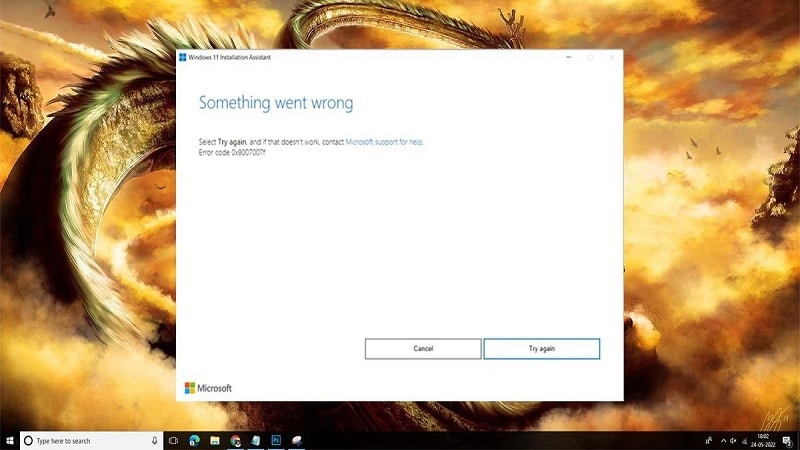
What should have been a simple installation process is becoming nothing short of a nightmare for some. In this article, we have tried to decode the message behind the error code 0x8007007f. If you have been getting this one too many times, it’s time to look for a fix, once and for all. Without further ado, let’s dive right in!
Why Do I See Error Code 0x8007007f?
You might be seeing the Windows 11 error code 0x8007007f due to numerous potential causes, and while it is hard to pinpoint which one of those is causing the issue on your particular device, you might go for trial and error to make the weeding out process easier for you. Here are the common reasons behind the Windows 11 install error 0x8007007f:
- If your Windows 11 or 10 package has not been activated, you can face update errors while trying to update Windows 11 to its latest version. So ensure to activate the Windows 11 or Windows 10 operating system present on your PC.
- Insufficient administrator permissions required to run Windows 11 Installation Assistant might cause the installation to falter, so make sure you enable all permissions.
- Enabled third-party antivirus might be blocking some of the required files or permissions that must be allowed scot-free to install your Windows update.
- Outdated GPU drivers are never good news, and it is no different in this case either. Always keep your GPU up to date to get the most out of your system.
- Insufficient storage or disk space could mean that the Windows 11 update halts repeatedly, so make sure you do something to remedy the storage crisis before installing Windows 11.
- Corrupted or damaged system files are also commonly noticed reasons behind Windows 11 not getting installed successfully, so make sure your device is free from the same.
7 Ways to Fix Windows 11 Error Code 0x8007007f
There are quite a few ways to deal with this situation, but we have tried to narrow it down to the very convenient few that neither take much time nor effort. Try following the steps as stated, and you should be heading towards a solution soon enough.
Check Windows 11 Minimum Requirements
First and foremost, check and ensure your device meets the basic requirements for installing or upgrading to windows 11. As per Microsoft’s official system requirements, Windows 11 requires all that is mentioned below for a successful installation:
- 1 gigahertz or faster with 2 or more cores on a compatible 64-bit CPU
- 4GB RAM
- 64GB internal storage
- UEFI secure boot
- TPM v. 2.0
- GPU which is compatible with DirectX 12 or later with the WDDM 2.0 driver
- High definition (720p) display greater than 9” (diagonally), 8 bits per color channel
1. Disable 3rd Party Antivirus
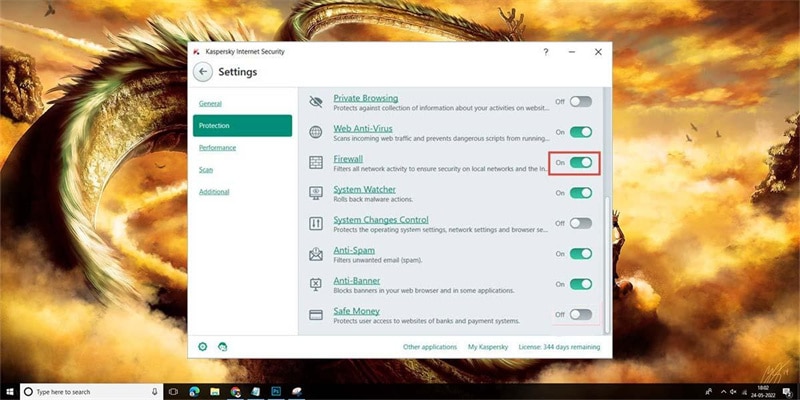
If you have any third-party antivirus installed on your device, you might consider disabling or uninstalling them before upgrading to Windows 11.
It’s a fact well known in the tech community that third-party antivirus interferes with the upgrade process and can thus result in different errors. So, if you do subscribe to any antivirus, or have any purchased, make sure you disable them for the time being before installing Windows 11.
2. Provide Admin Privileges to Windows 11 Installation Assistant
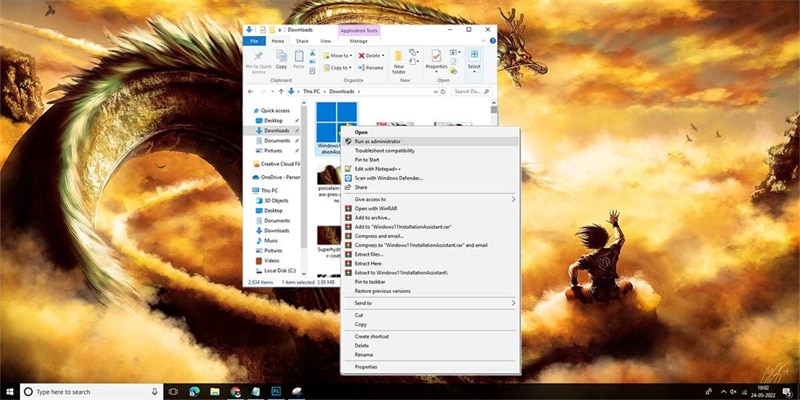
The upgrade process to Windows 11 requires administrator privileges to make changes to your Windows system files. Numerous users who had encountered the same error code 0x8007007f solved it by rebooting their systems and running the Installation Assistant in admin mode.
Here’s how to go about it:
- Close the Windows 11 Installation Assistant error screen, and go on to reboot your PC.
- Locate the Windows 11 Installation Assistant (you should have it downloaded from the Microsoft official page), and right-click on it to select “run as administrator.”
- Click on “yes” if the user account control prompt for permission. Then, follow on-screen instructions to upgrade to Windows 11.
3. Free Up System Partition Space
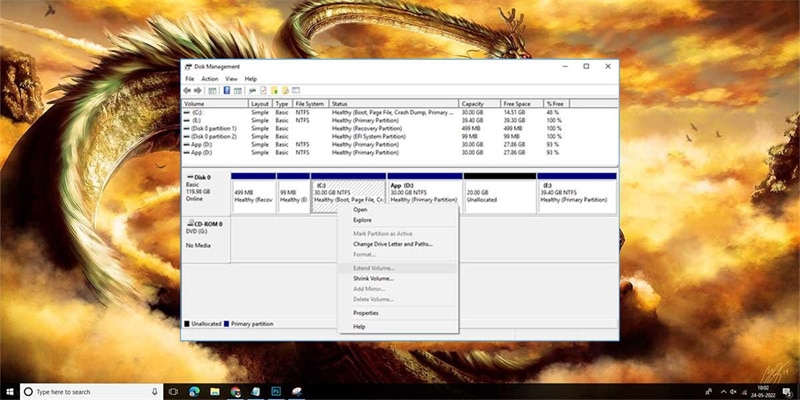
As we mentioned a while back, if you have insufficient storage on your system drive, it can very well cause the error code 0x8007007f while upgrading to windows 11. It is important because the installation assistant downloads the Windows 11 update files to the same system drive where it is also installed on the same partition.
Windows 11 needs at least 32 GB of free space, so make sure you use disk cleanup to free up some more space, and then hunt down duplicate files and folders and delete them all. Go through whatever you need and discard the rest to make room for your OS update.
4. Perform SFC and DISM Scan
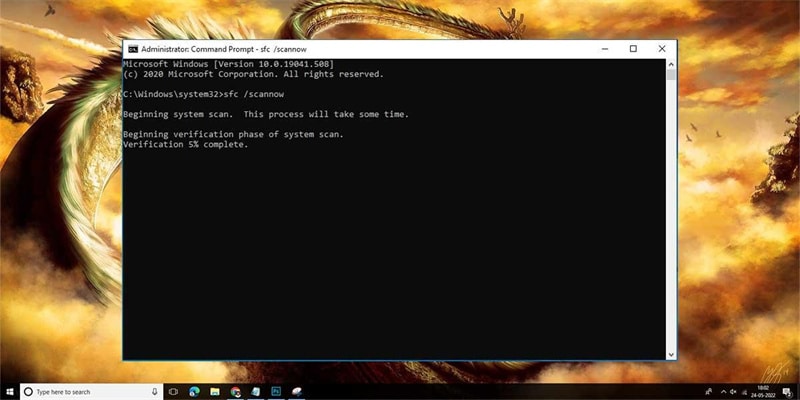
Windows System File Checker (SFC) is a viable means to scan your device for corrupt files. If such files exist, your OS will promptly replace them with their corresponding healthy, working versions. They are stored as cached files on the system. The tool is entirely command-line based and has no such UI per se.
If you have been facing the Microsoft error code 0x8007007f repeatedly, follow the steps below to resolve it:
- Go to Start and type CMD.
- Run Command Prompt as admin.
- Type “sfc /scannow” and press Enter.
- Let the scan complete.
- Restart the system.
Try to reinstall Windows 11 and gauge if the issue occurs again. But, if code 0x8007007f persists, type the following command:
dism /online /cleanup-image /scanhealth
dism /online /cleanup-image /checkhealth
dism /online /cleanup-image /restorehealth
Once done, try to restart the PC and check if you still see the error code 0x8007007f. If you do, it’s time for the next fix.
5. Use Windows 11 ISO
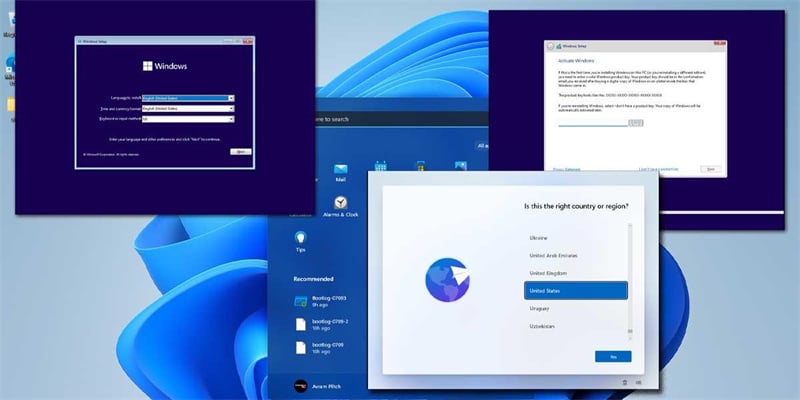
If you are still unable to upgrade to Windows 11 using the Windows 11 Installation Assistant, you might need to consider using the Windows 11 Disk Image (ISO) file to upgrade to Windows 11. Go to the Windows 11 official downloads page to download the Windows 11 ISO file.
In the Download Windows 11 Disk Image (ISO) section, tap on Windows 11 and select the Download button below to start the download.
6. Update Graphics Drivers
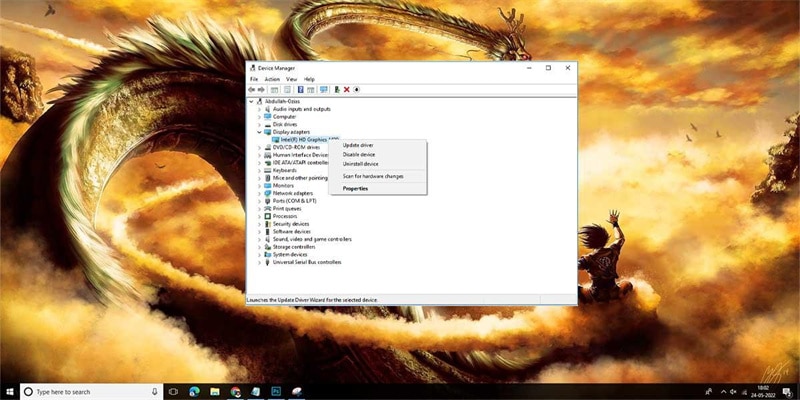
Often, you might see the Windows 11 error code 0x8007007f solely because your graphics drivers are in desperate need of updates. Outdated drivers are never good, no matter what is at hand. If you want to update your GPU drivers, you are in luck. Fixing this is quite easy, and it only takes a few minutes.
Here are the steps:
- Press Windows + X and tap on Device Manager.
- Pick Display Adapters to view the graphics drivers installed on your system at present.
- Open the Device tab and click on Update Driver.
Conclusion
That’s all about the different ways to fix error code 0x8007007f. To sum it up, try to relaunch the Installer Assistant with admin privileges, and all permissions enabled, ensure your system meets the update criteria, have all the latest drivers installed, download the ISO and run the setup.exe file, free up space, perform some necessary scans, and finally, disable your antivirus, if any.
If nothing works out, get in touch with the Microsoft support team for additional advice. Good luck!
