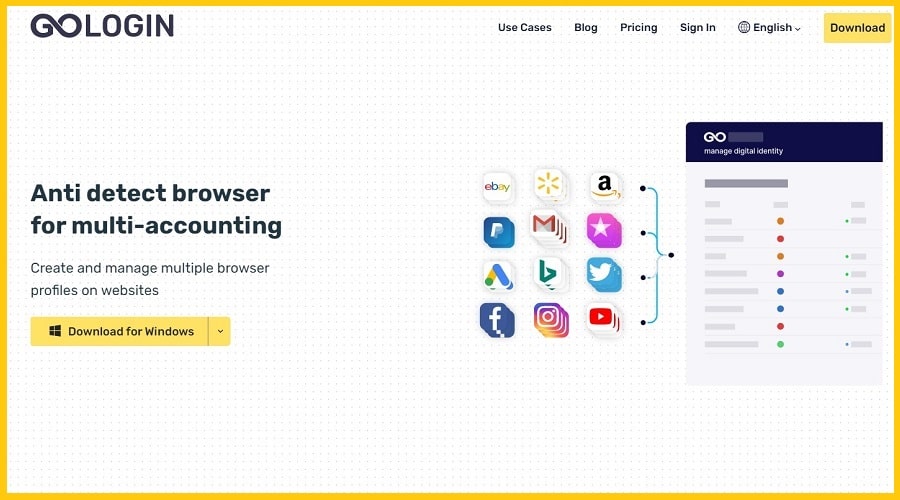
Are you looking to know more about the GoLogin app and how to configure proxies? Then you are on the right page. The article below provides you with an overview of the GoLogin software and how to set up proxies for complete anonymity.
Many websites are becoming stricter when it comes to fighting multiple accounts. Websites such as Amazon, Shopify, and eBay, to mention a few, do not allow users to create more than one account. Using various techniques, these sites identify each unique user, like IP addresses, cookies, and browser fingerprinting.
In contrast to the limitations that plague users attempting to operate multiple accounts on a single website, the need to create, own, or manage multiple accounts on a single website is on the rise. While hiding a user's IP address is a strategy to achieve this, it is not enough.
Another aspect of a user's that can be tracked is their browser fingerprints. A fingerprint basically contains information about the browser, platform, screen resolution, and other relevant parameters.
However, because of the strict anti-spam measures put in place to detect duplicate accounts, many businesses would rather own multiple computers than risk managing all their accounts on the same computer, as that could lead to a ban. This is an attempt to hide their IP footprints and keep the accounts as separate as possible.
Hence, the question is, how many computers can one possibly get? To avoid this, users can use an anonymous browser. Understand that anonymous browsing allows you to work with multiple profiles on any site at once.
It makes sure you have complete confidentiality and anonymity by substituting fingerprints. One such secure browser is GoLogin. But before we move further, let's see what GoLogin really is.
What is GoLogin?

GoLogin is a multi-account anti-detect browser. The user can establish and manage many profiles on a single website thanks to this piece of software.
Additionally, users can spoof all the characteristics that websites can view in order to disguise and control their digital fingerprint. Users can also get around anti-fraud systems by pretending to be a true Internet identity by hiding certain settings.
Additionally, GoLogin gives users complete control over every aspect of their browser footprint. Similar to proxies and virtual private networks, it masks the true identity of its users.
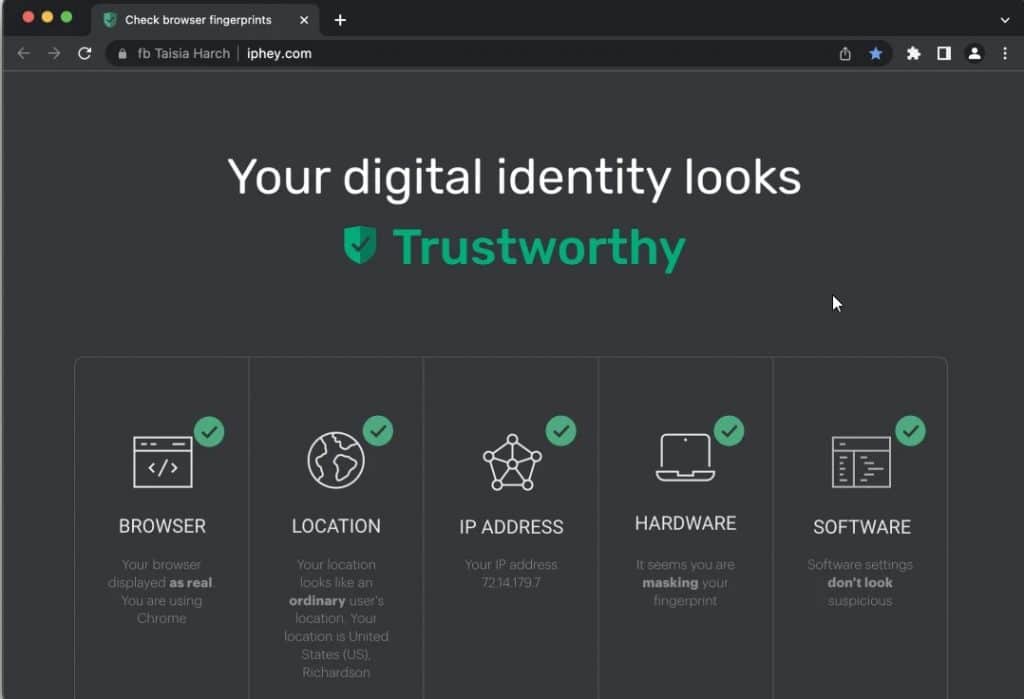
The only distinction is that bulk tasks can be completed with GoLogin. The only distinction is that GoLogin works with tasks that are bulk in nature. The software's basic principle of operation is that you can establish many accounts for various websites.
Proxies for GoLogin – An Overview

The need for a proxy for GoLogin can arise for a number of reasons, but before we get there, it's important to realize that there isn't actually such a thing as a GoLogin proxy—rather, proxies that can be used with GoLogin. The websites of target and the task you wish to carry out determine whether you need proxies or not.
And also dictates the type of proxies you should use. Therefore, the proxies you choose will be directly determined by the websites you plan to utilize them on as well as, of course, by your unique use case.
Now, where proxies come in with GoLogin is this. While the software (GoLogin) helps protect you from browser fingerprinting and cookie tracking, your IP address is still exposed, and websites will still block you from managing several accounts from the same IP address.
Hence, you would need a reliable proxy to mask your actual IP address efficiently. You can use all kinds of proxies on GoLogin. Below is a small recommendation on the best proxies to use.
1. Social Media Account Management:
If you need to manage multiple social media accounts, we recommend you make use of mobile proxies. For some social media platforms, you can get away with using residential proxies. However, Instagram, TikTok, and LinkedIn require mobile proxies. You can purchase high-quality mobile proxies from TheSocialProxy and Soax.
2. Automation and SEO:
If your tasks require constant and frequent IP rotation as in the case of web scraping and crawling, the use of rotating residential proxies is required. There are a good number of providers you can choose from. But we recommend you purchase from Bright Data and Decodo because of their huge proxy pool and efficient IP rotation system.
3. Accessing Regular Websites:
Even with the backlash against datacenter proxies, you can still use them on many websites with relaxed anti-spam systems. However, we only recommend you use private proxies as shared proxies come with their problems. MyPrivateProxy and Proxy-Seller are our recommended private proxy providers.
Top Recommended Proxy Providers for GoLogin
Choosing the right proxy provider is crucial for optimal performance with GoLogin. Below is a comprehensive comparison of five top-rated proxy service providers that offer excellent compatibility with GoLogin for various use cases.
| Provider | Starting Price | Proxy Pool Size | Coverage | Key Features | Best For |
|---|---|---|---|---|---|
| Bright Data | Residential: $5.88/GB Datacenter: $0.066/GB | 72M+ IPs | 195+ countries | • City-level targeting • Fortune 500 trusted • Advanced rotation • 99.99% uptime | Enterprise scraping & SEO |
| Proxy-Seller | Residential: $0.7/GB IPv4: $0.75/IP/month | Large pool | 220+ countries | • Flexible pricing • IPv4/IPv6/Mobile/ISP • Easy setup • Multi-format support | Budget-friendly multi-use |
| Proxy IPv4 | Datacenter: $3.5+/IP/month Basic: $10/10 IPs | 32M+ residential IPs | Global coverage | • 97% success rate • Flexible rotation • SOCKS5 support • High reliability | Cost-effective IPv4 needs |
| Geonix | IPv4: $0.70/IP/week ISP: From $1.77/IP/week | 90M+ IPs | 200+ countries | • HTTP(S) & SOCKS5 • 1 Gbps speeds • Under 20s activation • 10% promo: 92ikBmAZ96 | Affordable & fast proxies |
| YouProxy | IPv4: $1.29/IP/month IPv6: $0.79/10 IPs/month | Large subnets | 60+ locations | • Up to 40% bulk discount • HTTPS & SOCKS5 • 24/7 support • No-logs policy | Bulk proxy purchases |
Detailed Provider Breakdown:
1. Bright Data
Bright Data is the industry leader with the largest proxy network, trusted by Fortune 500 companies. They offer residential, datacenter, ISP, and mobile proxies with advanced features like city-level targeting and efficient IP rotation. Best suited for enterprise-level web scraping, competitive intelligence, and large-scale SEO operations.
2. Proxy-Seller
Operating since 2014, Proxy-Seller provides cost-effective solutions with extensive global coverage (220+ countries). They offer multiple proxy types including residential, IPv4, IPv6, ISP, and mobile proxies. Their flexible pricing model and user-friendly control panel make them ideal for beginners and intermediate users.
3. Proxy IPv4
Proxy IPv4 specializes in high-quality datacenter and residential proxies with an impressive 97% success rate. They offer flexible rotation options and SOCKS5 support, making them perfect for users who need reliable IPv4 proxies for social media management, sneaker copping, and general automation tasks.
4. Geonix
Geonix (formerly Proxy-Sale) offers some of the most competitive pricing in the market with weekly subscription options starting at just $0.70 per IP. They provide IPv4, IPv6, ISP, and mobile proxies with 1 Gbps speeds and activation in under 20 seconds. Use promo code 92ikBmAZ96 for 10% off.
5. YouProxy
YouProxy is a premium proxy provider with transparent pricing and excellent volume discounts (up to 40% off for bulk purchases). They offer IPv4, IPv6, ISP, and mobile proxies across 60+ locations worldwide. Their strict no-logs policy and 24/7 customer support make them a reliable choice for privacy-conscious users.
Note: Prices and features are current as of 2025 and may vary based on location, quantity, and subscription duration. Always check the provider's official website for the most up-to-date pricing and promotional offers.
Steps to Setup Proxies for GoLogin.
When it comes to setting up or integrating proxy services with GoLogin, all the proxy providers have quite a similar integration procedure. Without much ado, let's look at the steps it would take to set up proxies for GoLogin.
Step 1: Select your preferred proxy service provider and do all the necessary registration and selection of the proxy service you want.
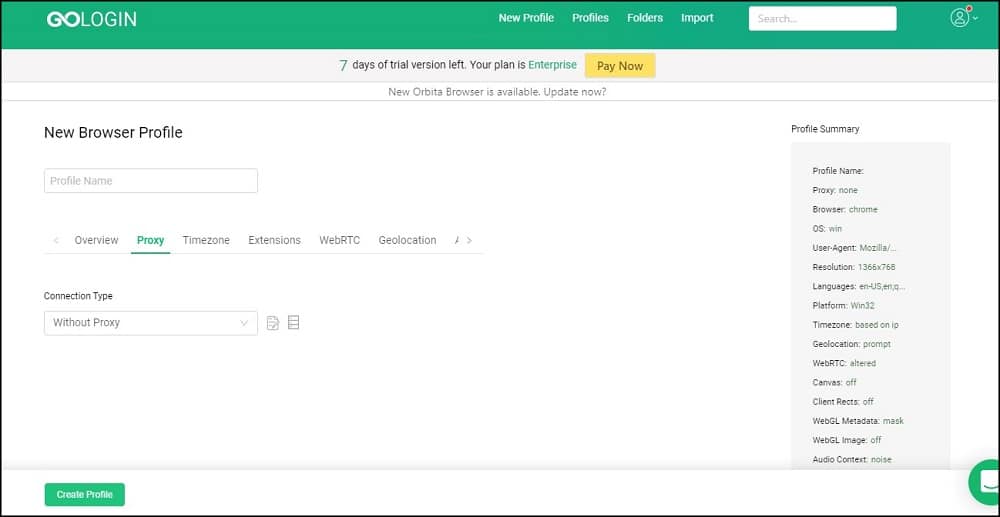
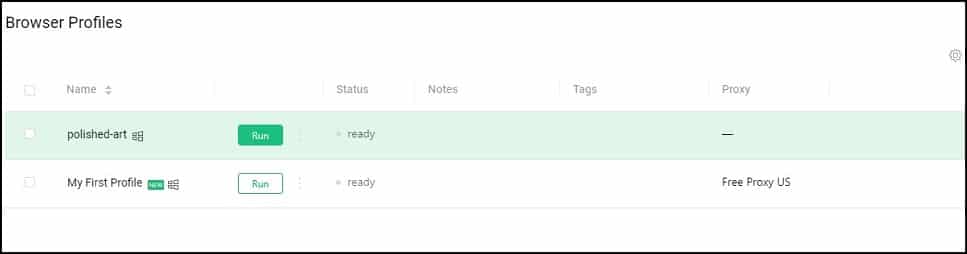
Step 2: Open the GoLogin app and click to create a new profile in GoLogin.
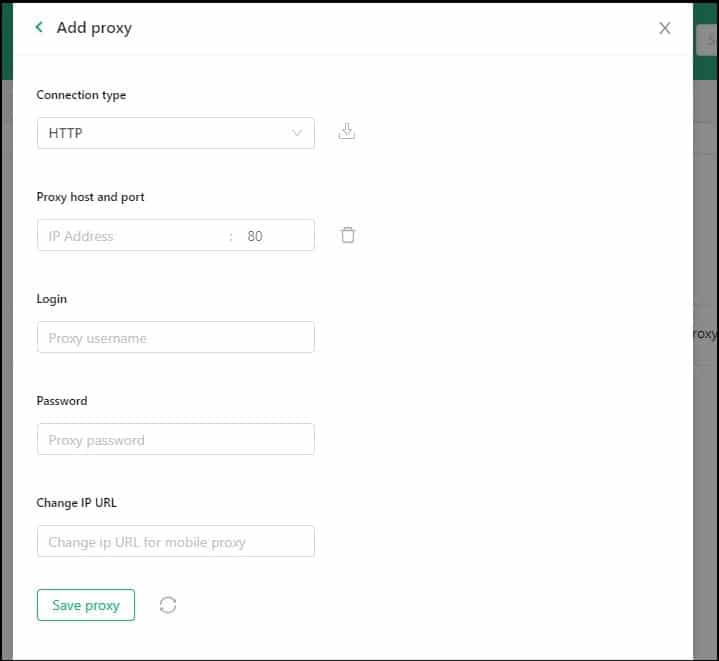
Step 3: Next, enter the required proxy information like profile name, connection type, proxy host, and port. After this, enter your login credentials under Username and Password and click Save.
Step 4: Finally, click “Create Profile.”
Step 5: When everything is in place! Now, click “Run” and wait for the browser to load.
GoLogin Cracked
GoLogin happens to have a 7 days trial after a user has registered. When this trial expires comes the billing plan that starts at $50/month. However, there is another way to enjoy using this app without subscribing the monthly plan – it involves the use of a cracked version of the GoLogin App.
Below are the step to cracking the GoLogin App;
Step 1: Get the updated version of Antidetect Browser Cracked from here.
Step 2: Use the password, if any, to unpack it.
Step 3: Now click on the installer file and install it.
Step 4: Then, open the guidelines and follow them.
Enjoy the latest cracked version for free.
Conclusion
GoLogin is a game changer when it comes down to managing as many accounts as possible. It becomes even more powerful and helpful when integrated with a good residential proxy.
If you're engaged in web scraping, managing browser fingerprinting is essential for a smooth data-gathering process. In this case, GoLogin is a perfect choice to configure and change browser fingerprinting whenever you need it.
You just need to make sure that you're using the best-quality proxies. We hope this article has been able to give you an overview of what GoLogin is and how to integrate proxies to your advantage.
